Upload BOM & Gerber
-
Mobile: +86 13312967631
-
Email: sales@sugaintl.com
PCB Box Build Assembly Services
China Box Build Electronics Manufacturer — From PCBA To Tested, Deployment-Ready Electronic Unit
As a China box build electronics manufacturer, we deliver complete box build solutions — PCBA, wire harness routing, enclosure integration, firmware binding, and unit-level testing with a single point of responsibility from prototype through production.
10-Step NPI-To-Production
No Fixed MOQ
99.6% On-Time Delivery
20,000 sq.ft Dedicated Box-Build Area
What Is Box Build Assembly?
Box build begins when board-level PCBA is no longer sufficient to develop an electronic subsystem or deployable electronic unit. The PCBA has mechanical, electrical, and configuration requirements in relation to the product it will become.
Where Bare PCBA Stops
The bare PCBA has developed the electronic core of the product. Box build takes this core and assembles it within the functional and physical context where it will be used. The PCBA also needs to be evaluated for fit, connection, identification, and operation within the completed unit.
What's Actually Included In Box Build Assembly
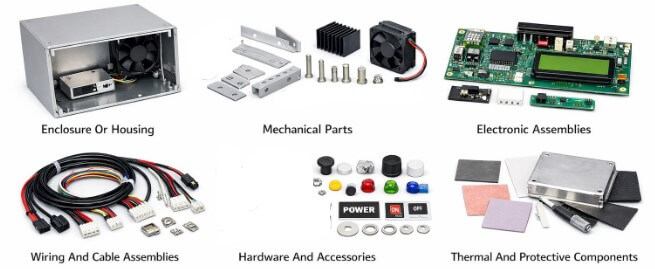
A box build may include enclosure creation, PCBA installation into the box, wire harness assembly, components and sub-assemblies, mechanical fastening, grounding hardware, and labels. It can also include firmware loading, configuration, serialization, preparation for packaging, and functional testing for the unit or subsystem.
For a typical product, this may include placing the completed PCB into a commercial off-the-shelf enclosure with basic wiring. A more involved box build may consist of daughterboards, power modules, sensors, terminal blocks, fans, displays, switches, shielding, and custom labels.
When You Actually Need Box Build (Not Just PCBA)
You will need box build if your product must leave the factory as a finished and deploy-ready subsystem or complete electromechanical product. While each of the following signals may prompt box build, the combination of two or more requires box build.
If vibration, airflow, cable strain, connector access, serial identification, or field service access affects the outcome of the product, it will not be possible to determine these by simply performing PCBA testing. The five signals below affect box build scope and quotation.
| Signal | Buyer Impact |
|---|---|
| Unit-level shipment | The product must ship as an independent unit, not as an exposed board. |
| Multi-object co-existence | PCBA, power, display, harness, sensor, or control modules must share one enclosure. |
| Configuration or firmware binding | Firmware, configuration data, serial number, MAC ID, or product ID must be tied to the physical unit. |
| External enclosure exposure | The product is touched, seen, installed, or serviced by a user and needs finished labels, buttons, panels, or housing. |
| Environment or reliability risk | Vibration, heat, ESD, humidity, transport, or long operating cycles affect the final unit, not just the board. |
PCB Assembly Vs. Box Build
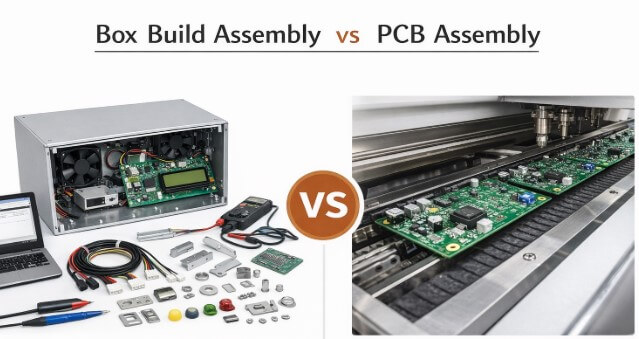
Finished-unit integration begins when a PCBA project moves from board-only work to finished-unit integration, and the PCBA becomes part of the unit instead of remaining as a board assembly only.
The Board Is The Core, Not The Whole Product
The PCB board is the center of the product, but not the entire product. PCBA builds the electronic module that incorporates SMT assembly, THT, mixed technology assembly, cleaning, inspection, and board-level electrical testing. Although the PCBA is typically considered the heart of the unit, it is just one component. Other factors, such as mechanical fit, cable routing, power supply, interface access, and shipping preparation, all play a role.
Finished-unit integration extends PCBA to encompass the full unit: mounting, connecting, identifying, configuring, and testing.
4 Levels Of Box Build Service
There are four levels of box build service that represent varying degrees of depth depending upon what is needed by the product. For example, a small prototype product may only require enclosure installation, while a regulated or high-reliability product requires system-level assembly, related box build documentation, and unit-level release records.

| Service Level | What's Included | Best Fit | Requirements |
|---|---|---|---|
| Simple Enclosure Assembly | Installs the completed PCB from PCB assembly into an off-the-shelf enclosure with basic wiring and fastening. | Small devices, low-volume builds, prototypes. | Basic assembly skills. |
| Sub-Assembly Integration | Combines multiple modules, such as mainboards, daughterboards, power modules, and sensors, into a functional subsystem. | Medium-complexity products, multi-module systems. | Strong system-level understanding and layout capability. |
| Complete System-Level Assembly | Handles complex structures, precise wiring, software setup, and full functional testing. | Industrial, medical, aerospace, and other high-reliability products. | Advanced engineering expertise across electronics, mechanics, wiring, and testing. |
| Turnkey Box Build Assembly | One manufacturer covers PCB manufacturing and assembly, integration, testing, packaging, and logistics. | Companies seeking reduced supplier complexity and consistent quality. | Complete box build manufacturing capability and manufacturing competence. |
Product Integration After The Board
After PCBA is completed, the assembly goes through product-level integration work. This includes mounting, identification, powering, cooling, maintenance access, and final acceptance of the unit from a box build perspective. These steps are determined at the product box build level instead of at the PCB assembly level.
When comparing a PCBA-only quote versus a box build quote, they can look the same until the following items are compared: 1) enclosure space; 2) shipping preparation such as boxing or crating; 3) assembly quality assurance documentation; 4) unit release documentation; 5) serial identification; and 6) finished-unit shipment. If your device is shipped with an enclosure, has two or more internal modules, or has a serial number that is bound to the firmware, then the following rows will apply to the project. This will affect what should be in your quote request.
| Dimension | PCBA Only | Box Build | Buyer Signal |
|---|---|---|---|
| Output | Assembled and inspected circuit board. | Tested electronic unit inside enclosure. | The product needs to ship as a unit or subsystem. |
| Mechanical work | Board-level handling. | Enclosure fabrication support, fastening, chassis population, and mechanical assembly. | The project includes housing, structure, panel parts, or labels. |
| Electrical connection | Component soldering and board-level inspection. | Harness routing, cable assemblies, connectors, and power / signal / control paths. | The product has internal or external wiring between modules. |
| Configuration | Usually limited to board-level programming or basic function. | Firmware loading, software setup, calibration, serial number, MAC ID, or product ID binding. | Version, ID, or configuration must match the shipped unit. |
| Validation | Board-level inspection or PCBA functional check. | Unit-level functional testing before shipment. | The buyer needs proof of whole-unit behavior. |
| Packaging | PCBA packaging. | Finished-unit labeling, serialization, protective packaging, and shipment preparation. | The unit must be ready for storage, delivery, or installation. |
You can reduce the amount of late-stage rework you will be required to do if you keep PCBA and box build with the same supplier. Rework often occurs when an assembly that looked good on the bare PCB conflicts with the enclosure wall after installation. If the problem is identified early, it is relatively inexpensive to fix before it goes into production. Once the assembly is complete, fixing this type of problem generally will be time-consuming and costly.
Box Build Assembly Process
Box build assembly starts with design package checks and ends with finished-unit shipment. Skipping early checks can lead to much higher risk at the final integration stage, where rework costs are high and can take a long time to resolve.
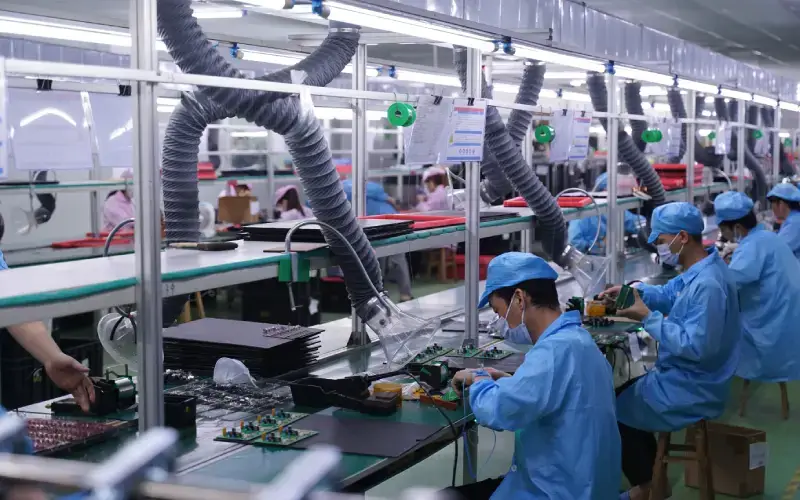
Design Package And DFM Review
The design package and DFM review starts with the build package. The build package contains all items required to build the product, including BOM, Gerbers, mechanical drawings, firmware, test requirements, enclosure intent, harness drawing, and label requirements. Prior to entering the assembly stage, SUGA will perform an analysis on the manufacturability of the components and evaluate tooling options, geometrical constraints, assembly risks, connector orientations, harness exit points, and testing access. Based on this information, the project can enter assembly with clearer build conditions.
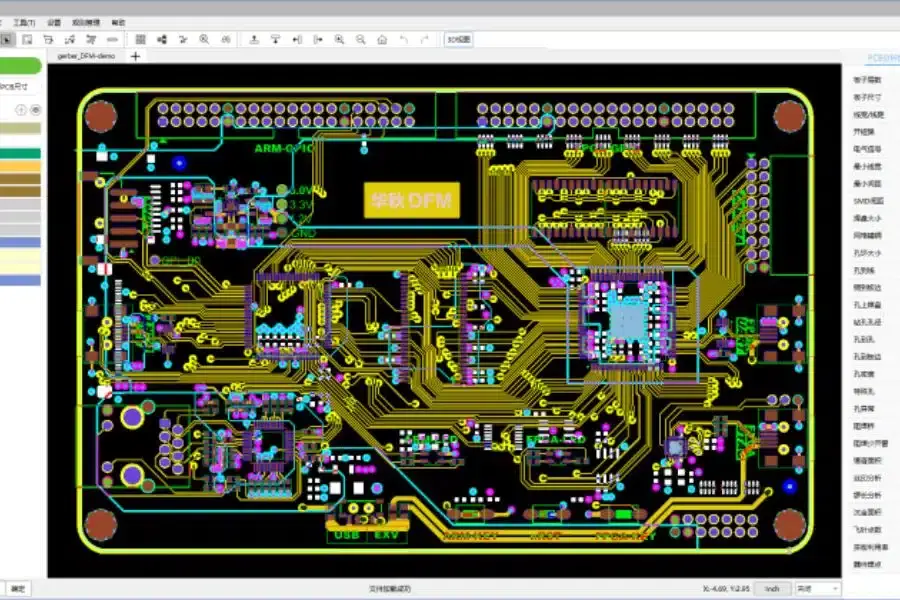
Procurement Before Assembly Starts
Procurement should be performed prior to the start of assembly; it is not an afterthought for when assembly has already begun. The components, PCBs, enclosures, harnesses, connectors, mechanical hardware, labels, and packaging materials need to match the order in which they will be assembled. Lead time, approved substitutes, critical components, and material readiness are all checked prior to locking the build schedule.
SUGA records receiving and lot information in ERP traceability records from the material stage. This means traceability does not start once the product is tested; it continues through production for repeat builds, regulated applications, and serialized products.
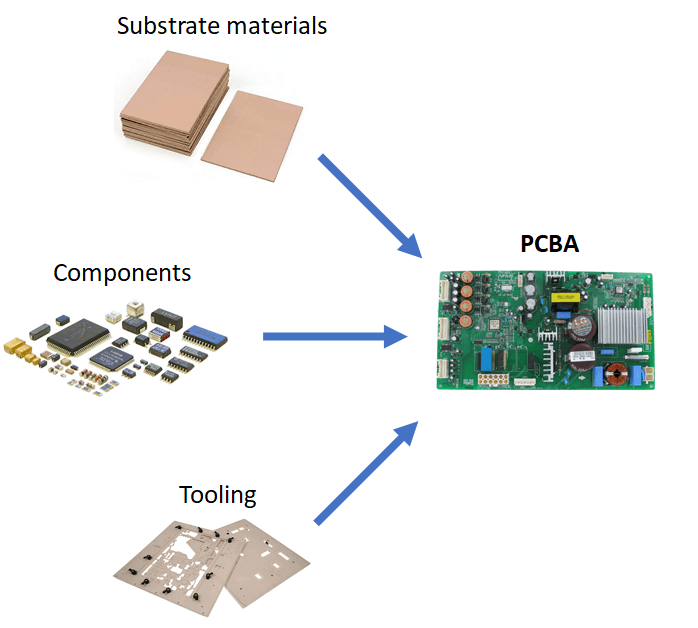
PCBA And Sub-Assembly Fabrication
PCBA and sub-assembly fabrication creates an electronic core from the materials and processes that go into SMT, THT, mixed technology assembly, cleaning, and board-level inspection. Mainboards, daughterboards, power modules, sensors, cable bundles, display modules, and batteries can all be prepared as sub-assemblies, ready for installation in the final housing of your enclosure.
Building these sub-assemblies early reduces the need for rework inside the physical unit. It also allows verification of functional prediction, cable length checks, connector reviews, and module readiness before access to the modules is limited.
Mechanical And Harness Integration
Mechanical integration begins by placing both the PCBA and sub-assemblies, together with mounting hardware, fasteners, gaskets, grounding points, panel parts, and tolerance checks, into the enclosure or chassis. After placement, cable and harness routing provides power, signal, and control paths through crimping, shielding, strain relief, connector seating, bend radius control, and pre-checks.
Firmware, Labeling, Testing And Shipment Readiness
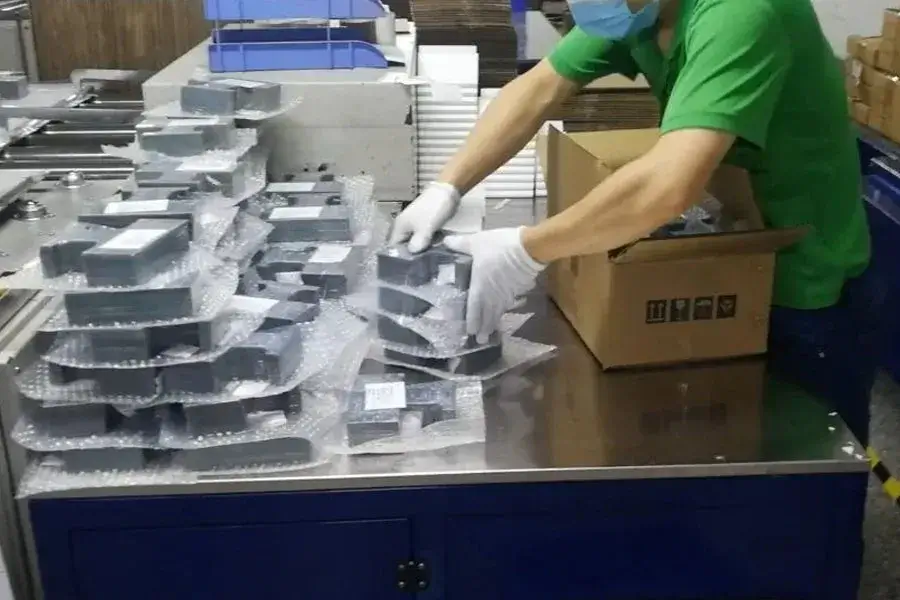
Firmware, software, configuration files, calibration data, serial numbers, MAC IDs, and product IDs will be loaded or bound, as appropriate, during this time. System-level testing will then check the integrated unit against the test plan, fixture program, power-up requirements, communication interface, safety check, or load behavior, depending on the unit. At shipment, the lot records, shipping plan, packing list, and delivery requirements are matched before the batch leaves production.
| Readiness Item | Purpose |
|---|---|
| BOM | Defines materials, substitute rules, lead time, and critical items. |
| Gerber / ODB++ / IPC-2581 | Provides fabrication and assembly data for the board-level stage. |
| PCBA drawing | Clarifies fixing holes, connector direction, test points, and board-level assembly needs. |
| Enclosure drawing / 3D CAD | Defines fit, cable exit, connector access, and thermal path. |
| Harness drawing | Defines wire length, connector, crimp, label, shielding, and strain relief. |
| Firmware file | Defines version loading, configuration, and release verification. |
| Test plan | Sets board-level, harness-level, and unit-level test depth. |
| Label / serial / MAC ID rules | Connects unit identity, traceability, and packaging. |
| Packaging requirement | Controls protection, accessories, labels, and shipment preparation. |
| Compliance requirement | Maps ISO, IPC, ESD, RoHS, REACH, UL, CE, or application-specific requirements. |
How A Box Build Becomes One Unit
All physical and electrical components must be identified and defined in terms of how they will fit together as a cohesive unit.
Board And Module Placement
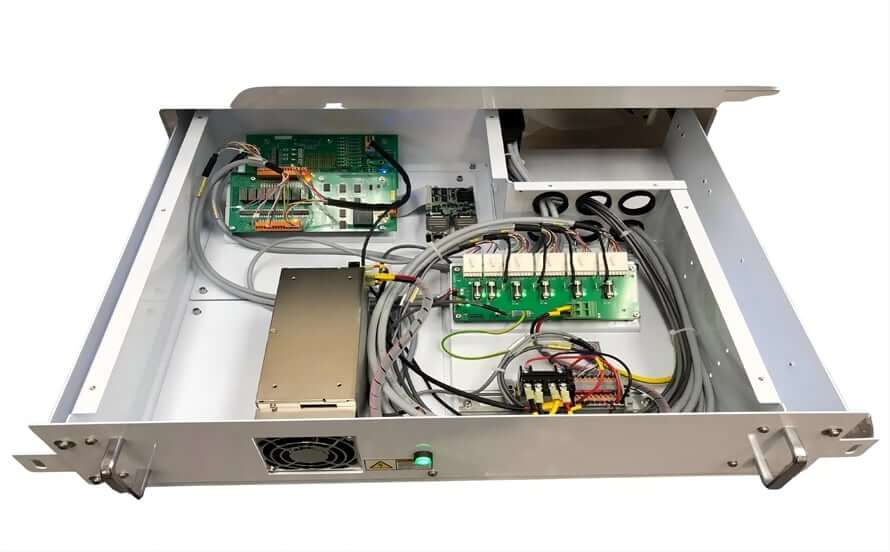
Mechanical placement of the PCBA, mainboards, daughterboards, power modules, and other components requires establishing controlled clearances, attachment points, connector orientations for user interfaces, service access to the internal components, and related fit requirements.
Physical placement alone may cause issues in terms of placement of power supplies and other electronic components. An electrical inspection may pass for connectors; however, if connectors face the incorrect access orientation or cable bends conflict with the enclosure wall, the design will likely be unsuccessful in product integration.
Harness Routing And Strain Relief
Wire harnesses and cable assemblies that carry power, signal, and control paths through a unit are often mixed together. Each type of wire harness, such as high-current or signal wiring, will fail differently according to how it is routed without proper separation and strain relief.
Even though a wire harness may pass a simple electrical inspection, it can cause noise, obstruct airflow, produce excessive heat, create serviceability issues, and cause long-term stress on the cable due to improper routing.
Strain relief for wires and cables, crimp reviews, shielding, and labeling are integral to building the wire harness into the overall architecture of the product.
Interconnect And Service Access
All connectors, interconnect materials, and terminal blocks need to be oriented for assembly, test, service, and mistake prevention in assembly. Using keyed connectors, having accessible terminal screws for test connections, orienting connectors to plug into the unit in one physical direction, and ensuring access to test fixtures will increase the likelihood that a unit moves through manufacturing without damage due to avoidable handling.
Enclosure And Chassis Population
When assembling the enclosure, the assembler may be dealing with plastic or metal housings, chassis assembly, GD&T review, fasteners, gaskets, grounding hardware, panel parts, and service openings. Chassis population means the chassis is included as a functional part of the product rather than being added later as just a protective shell around the electronics.
Power, Sensor, Fan, Display, And Switch Integration
Electromechanical integration typically consists of fans, displays, sensors, switches, power supplies, HMI components, LEDs, keypads, rotary knobs, and battery modules. There are differences in the cable routing, physical interface, operating risks, and testing requirements for each of these components.
The cooling system should not have any obstruction in the cooling path. The display should align with the display opening in the housing. Switches should be accessible and operate electrically. It should be easy to calibrate and service the sensors, which should not be obscured by other components.
Thermal And Cooling Control
Thermal management encompasses both the practical and physical aspects of thermal management, including proper placement of fans, heat sinks, airflow channels, vent openings, hot components, and cable routing to ensure that a harness does not cross the heat sink or block the vent opening, as this could cause reliability issues, even if the PCB passes testing.
Firmware And Configuration Interfaces
Firmware loading, configuration, calibration, serial number, MAC address, product ID, and label identity must all be coordinated with the actual unit. If these items are not controlled, two identical units could potentially have different performance characteristics in the field due to differences in firmware loading and configuration.
Packaging-Ready Mechanical Finish
In addition to being finished externally, the finished unit will need readable labels, serialization, protective packaging, accessories, and preparation for shipping. Label placement, connector caps, and accessory checklist completion should be confirmed before shipment.
Testing Before Shipment
Testing before shipment confirms that the unit and the listed test types are associated with a release record. If a test type is completed but not documented, that should be addressed before shipping to prevent a field failure.
Board-Level Electrical Screening
Board-level electrical screening protects the unit build from electrical faults prior to installation into the enclosure. Electrical issues can be detected with flying probe, ICT, boundary scan, ionic contamination, and Hi-Pot or insulation checks being performed on the PCBA at the board level before the PCBA gets installed within the enclosure. Mechanical integration will create a barrier to repair any electrical faults found after installing the PCBA.
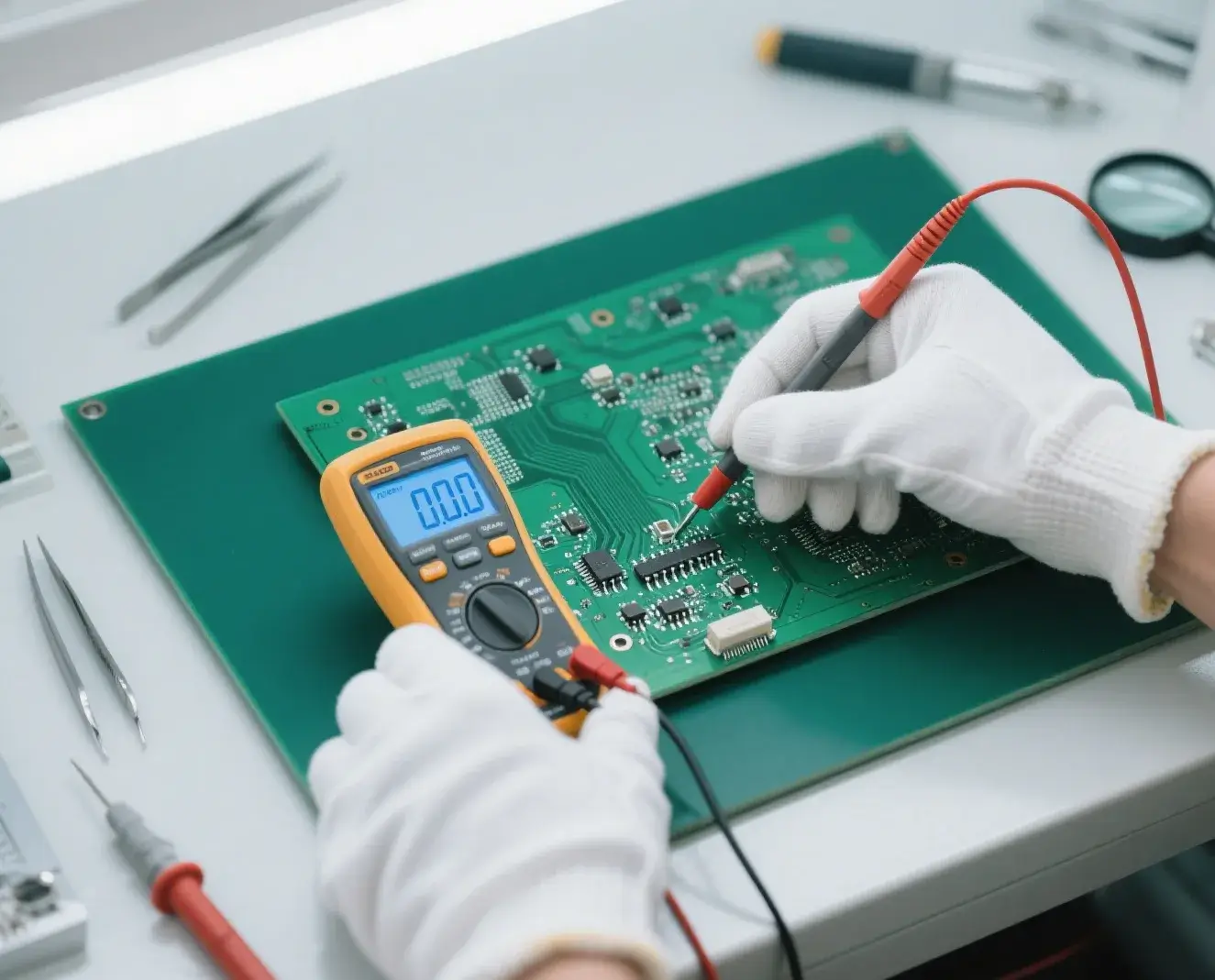
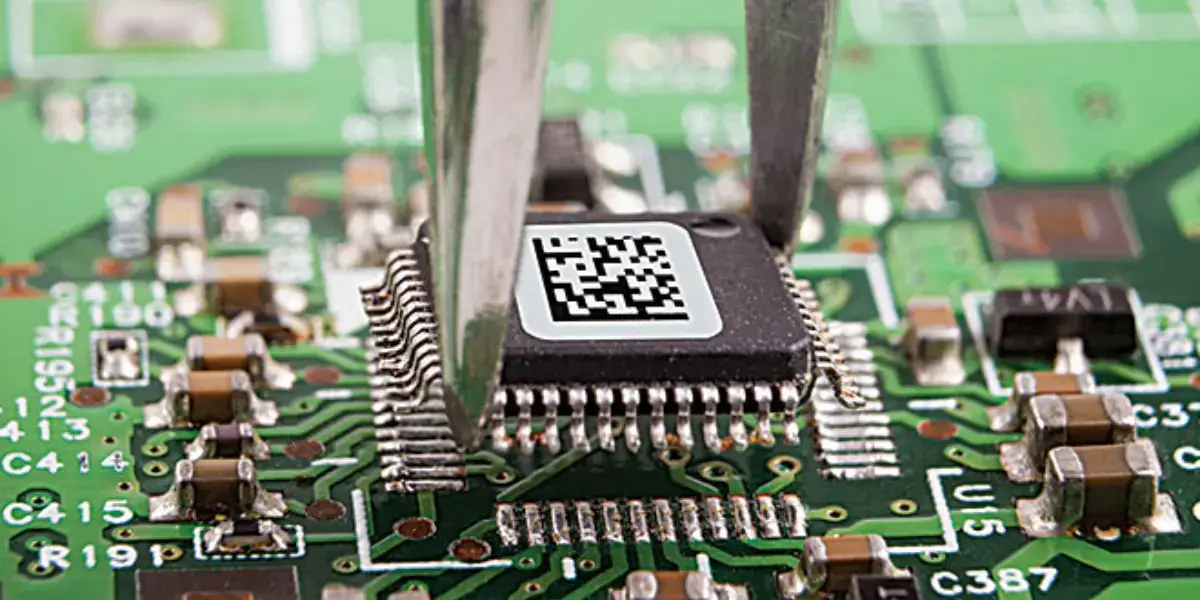
Optical And Hidden-Joint Inspection
Optical and hidden-joint inspection is achieved via AOI, 3D AOI, 3D SPI, X-Ray, BGA inspection, hidden solder joint reviews, and SPC reports. The use of these inspections will help to prevent defects before final assembly, and they are especially beneficial for dense PC boards, miniature components, BGA, and mixed technology assemblies.
Harness And Cable Verification
Harness and cable verification includes performing continuity tests, point-to-point tests, insulation resistance tests, voltage withstand tests when needed, connector seating reviews, crimp reviews, strain relief inspections, visual routing inspections, and label checks. All of these controls will confirm that the cable and harness are electrically correct, as well as physically secure.
System Functional Test
System functional testing checks the functionality of the integrated unit by verifying power-up, interface behavior, communication performance, human interface, and load or application behavior based on the way the product will perform in its application.
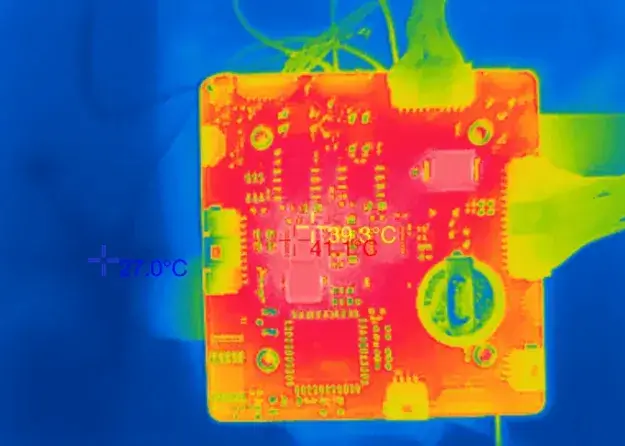
Environmental, Burn-In And Vibration Checks
Environmental tests, burn-in tests, vibration tests, transport-risk tests, and long-cycle tests are created based on product risk. Products with high-reliability, power, transport, industrial, lighting, or communication requirements usually require more than a power-on test.
Firmware And Configuration Verification
Firmware loading, configuration matching, calibration data, serial number, MAC ID, product ID, and version binding are all parts that should be verified before release. Configuration errors can be accepted during mechanical inspections but cause field failures or support confusion later.
SUGA synchronizes configuration records with the physical build. This makes it easier to control repeat builds that may have multiple firmware versions, regional configurations, or product variants.
ESD And Handling Control
ESD controls protect the assembled PCBA throughout PCBA, integration, testing, packaging, and storage. The ESD control program can follow ANSI/ESD S20.20-2021 and cover ESD control equipment inventory, ESD control workstations, ESD control storage, ESD control methods, ESD control marking, and training fit for ESD-sensitive components.
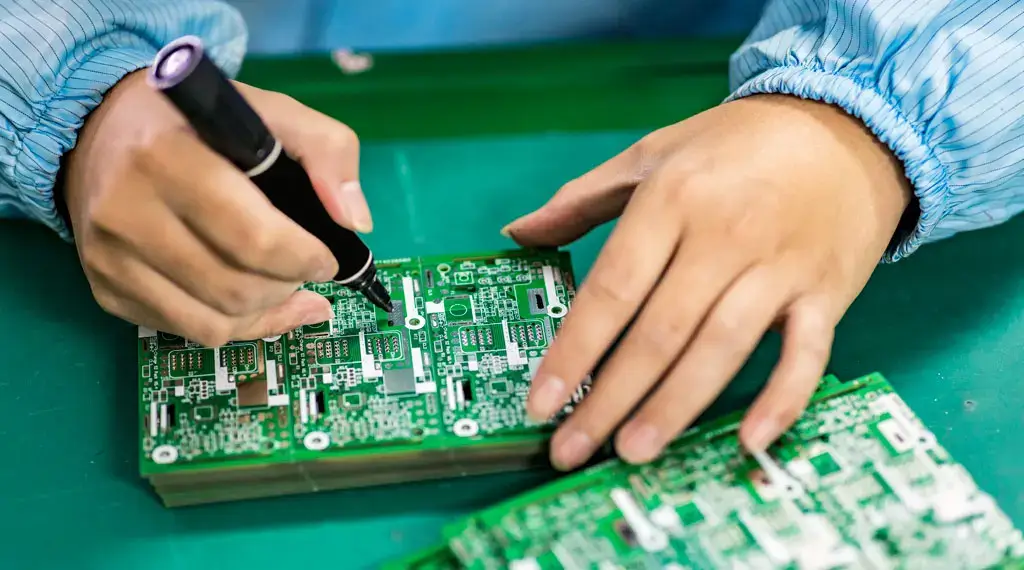
Release Records And Final Assembly Audit
Final assembly audit includes inspection, test records, traceability, labels, serial numbers, and packaging review. These records confirm that the unit ships according to build requirements.
| Item | Stage | What It Confirms |
|---|---|---|
| Power / signal separation | Integration | Keeps power, signal, and control lines from creating interference or service confusion. |
| Bend radius | Integration | Plans cable turns to avoid long-term stress. |
| Strain relief | Integration | Protects connectors, terminals, and cable exits from pull force. |
| Shield termination | Integration | Controls grounding end, shield continuity, and noise behavior. |
| Connector keying | Integration | Uses direction control and access space to reduce assembly mistakes. |
| Service loop | Integration | Leaves service allowance without blocking airflow or stability. |
| Airflow clearance | Integration | Keeps harnesses away from fans, vents, and heat sinks. |
| Hot component avoidance | Integration | Routes wires away from hot parts, power modules, and sharp edges. |
| Label readability | Integration | Keeps wire numbers, ports, and serial labels visible for inspection and service. |
| Test access | Integration | Plans ports, fixtures, and test points before integration limits access. |
| Functional test result | Pre-Shipment | Proves finished-unit behavior beyond PCBA behavior. |
| Firmware version | Pre-Shipment | Prevents mixed software or firmware versions across batches. |
| Serial / MAC / product ID | Pre-Shipment | Supports traceability, inventory, service, and system binding. |
| Visual inspection record | Pre-Shipment | Covers appearance, hardware, harness route, and label state. |
| Harness continuity record | Pre-Shipment | Confirms wire, terminal, connector, and route integrity before release. |
| Label verification | Pre-Shipment | Matches product labels, warning labels, serial labels, and carton labels. |
| Packaging checklist | Pre-Shipment | Confirms accessories, protection, carton marking, and shipment-ready state. |
| Lot traceability | Pre-Shipment | Supports material traceability and batch containment. |
Box Build Applications
Box build applies to products that must be physically assembled, tested, labeled, and deployed as a stand-alone unit or subsystem, using production methods appropriate to the type of end product.
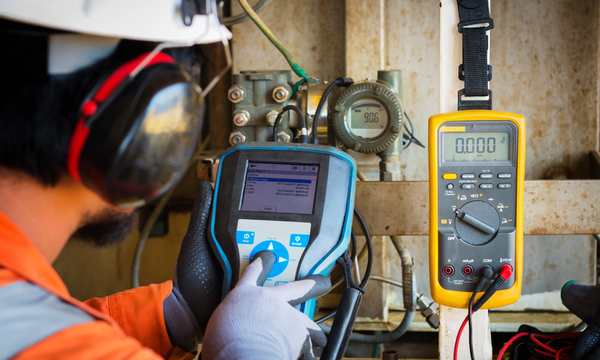
Test And Measurement Equipment
Calibration equipment affects how calibration is performed, since calibration can change due to the mechanical installation of the hardware within its enclosure. Final calibration and interface verification should occur after full integration of the mechanical components.
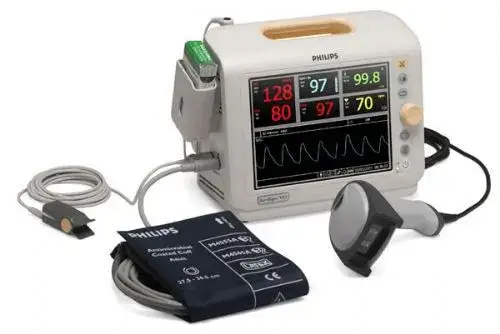
Medical Diagnostic And Monitoring Devices
Medical devices are also subject to risk, as board testing may not identify certain issues when the serial number has been associated with the firmware during one test step and not during final verification of the assembled unit. When there is a discrepancy between the serial number, firmware version, and ISO 13485 batch record, this difference can cause the inability to isolate a problem with the medical device from other similar devices produced by the same manufacturer. Similar to test and measurement equipment, traceability for these systems should occur at the time of assembly. Traceability verification ensures that the serial number, firmware version, and lot number are all verified from the same records.
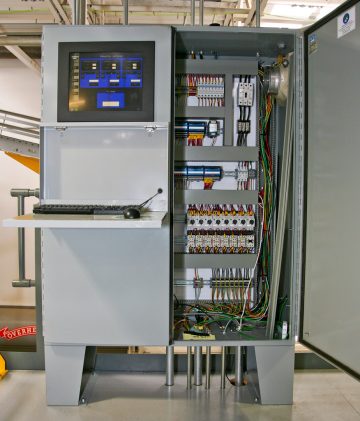
Industrial Control Panels
Industrial control panels become defective before the user receives and installs them when they are built using an older wiring diagram version than what the newest version of the diagram indicates. This can lead to the technician connecting the wire to a terminal that is not where the wire should be connected. To prevent this scenario, the wiring diagram version should be locked to the corresponding physical label set before shipping the panel.

Industrial Automation And Machinery Electronics
Electronics used in machinery, such as motors and actuators, are exposed to a unique failure mode during normal operation that static continuity tests will not identify. A connector that is secure when being assembled at the bench can loosen due to being in close proximity to a motor or actuator for prolonged periods of time with sustained vibration. The connector will not be detected as defective through standard continuity testing methods. Instead, the user must ensure that the connector is secure and able to withstand any strain associated with the vibration profile of the equipment during normal operation, not just through a pull test at the workbench.
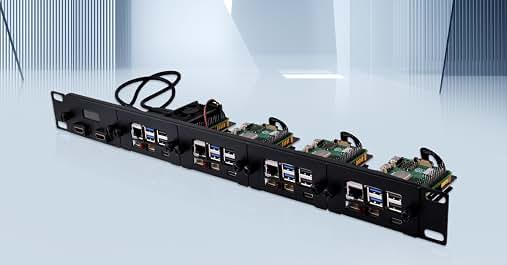
Rack-Mounted Equipment
The majority of problems associated with rack-mounted equipment result from improper installation. The failure to identify a problem with rack-mounted equipment happens because the harness which connects the unit to the network and supports the power requirements will pass through the rack frame; however, depending on the type of hardware being used, the airflow may be obstructed behind the unit, and the unit can operate for an extended period of time before the problem becomes apparent. Cables should be routed around, not across, the ventilation channels of the enclosure, and the front and rear panels should be aligned according to the actual spacing between the ports in the rack rather than simply following the enclosure drawings.
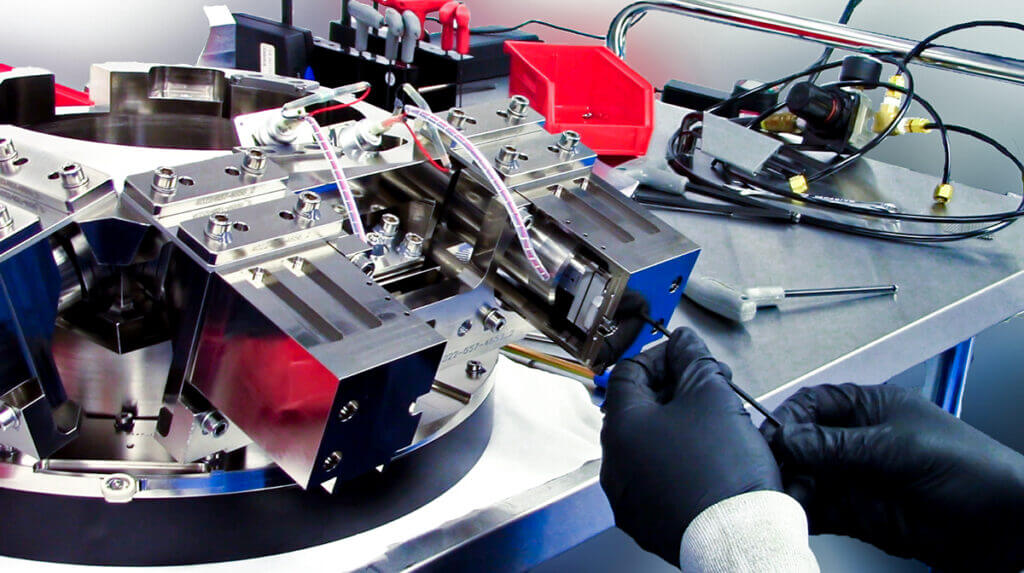
Complex Electromechanical Assemblies
Where multiple sub-assemblies are assembled into a single enclosure, coordination risk of assembly is greater than technical risk. If the test sequence is not fixed in the work instructions, multiple sub-assemblies may be assembled by different operators with no clear method to determine the order of fixture assignment. The sequence of testing and fixture assignment must be documented in the build record prior to the start of manufacturing of the first unit.

Robotics And Mechatronics
Harnesses located near robotic joints are subjected to stress patterns which cannot be replicated through static testing. Conductors can fatigue under load conditions and exhibit failure over time even if the conductor passes a continuity test under static conditions. Service loops and strain relief at the moving assembly should be sized per the estimated life of the component and the expected flex count in conjunction with the actual motion profile. Do not rely solely on a single straight-pull or bend-radius test at manufacturing to determine the proper size.
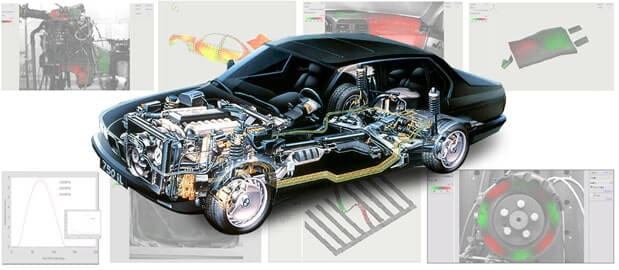
Automotive And Transportation Electronics
Automotive components often fail electromechanical testing that room-temperature testing does not reveal. Some connectors may have acceptable retention force at a given temperature but may lose contact pressure once subjected to a temperature cycle. The failure occurs well before any additional forces are applied to the electronic assembly in the form of vibration. Verify that connector retention and continuity have been completed after a temperature-cycle test; connector retention should be tested at temperatures above ambient. A unit that passed only a bench-top functional test is very likely to fail on its first hot-cold cycle once in the field.

Aerospace And Defense Systems
Because they often have rigorous documentation requirements, aerospace and defense programs tend to be more impacted by documentation gaps than by workmanship defects. A build that meets the program workmanship criteria may still have a disqualified audit due to documentation that does not capture the detail required by the program. If a program requires documentation at the level of operator, lot, and test result linked to that serial number, the traceability record must provide this level of detail prior to production and before the first audit request.
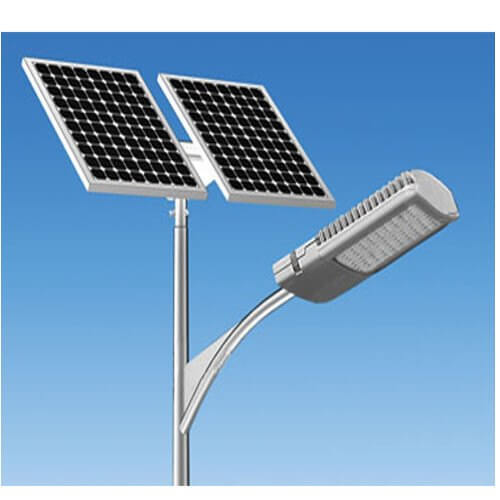
Lighting Technology
The main difference between lighting builds and all other box builds is that the wire routing that makes for the best optical appearance often makes it difficult to achieve the thermal path required by LED drivers. A harness that is dressed for a good appearance can reduce the life of the LED driver even if every electrical test passes. Optical appearance and thermal clearance must be documented together as part of the mechanical integration check, not as two independent documents or sign-offs.
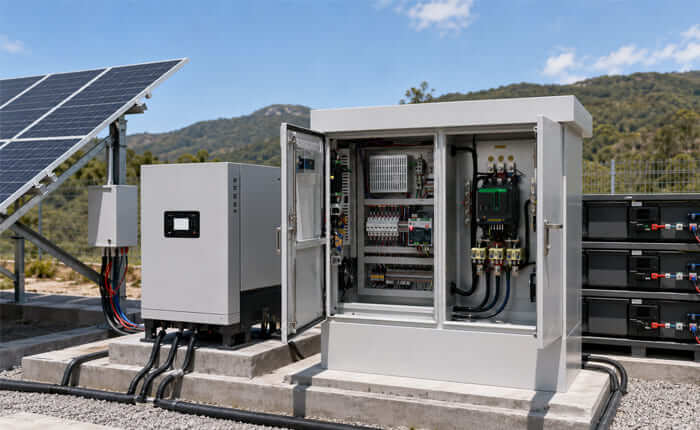
Alternative Energy Electrical Cabinets
With the alternative energy industry, the most common type of electrical cabinet failure is a result of an oversight made in the assembly process. During assembly, safety labels are placed on the cabinets. However, once the cabinets are wired, there may be the potential to cover these safety labels with the terminal cover or cable runs. Even if the electrical cabinet passes insulation and functional tests, it may fail the field safety inspection if it does not show the required safety labels in an accessible location once the cabinet is in the closed position. You should not rely solely upon assembly drawings to verify label visibility, as you need to examine the cabinets after wiring has been completed.

Telecom And Communication Systems
With telecom devices, there is a specific timing issue that the manufacturer must address. Even when the device passes power-up and communication tests immediately after assembly, it is possible to encounter a failure during the burn-in test, as port identity or firmware configuration errors can often go unnoticed until the device has been in operation for a significant period of time. Therefore, manufacturers must ensure that the burn-in duration is aligned with the use of the communication interface and not simply a generic burn-in time based on the generic product type.

IoT And Connected Devices
A common IoT box build failure occurs when a unit's physical serial label does not match the MAC ID that was flashed into the firmware. Once that unit is shipped, there is no way for anyone to locate or provide service on it through an ID number. Firmware binding and label printing should use one data record, rather than two separate instances where they may drift apart on a run.
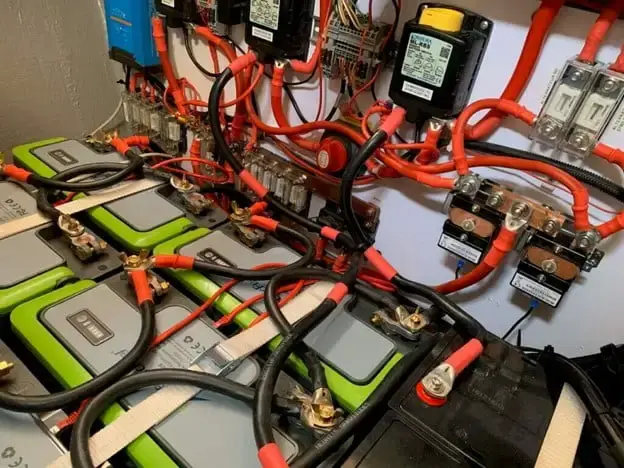
Power Supplies And Battery Systems
When building power supply systems, the most notable difference from signal supply systems is the high-energy routing harnesses. If the harnesses meet continuity, they can still be improperly placed too close to a heat sink and degrade over time as they are cycled on and off from a power source. Testing for Hi-Pot and insulation resistance should occur following full mechanical assembly of the unit, as opposed to prior. Testing done prior to the harness being run into the enclosure does not assess clearance issues that may be created during the assembly process.
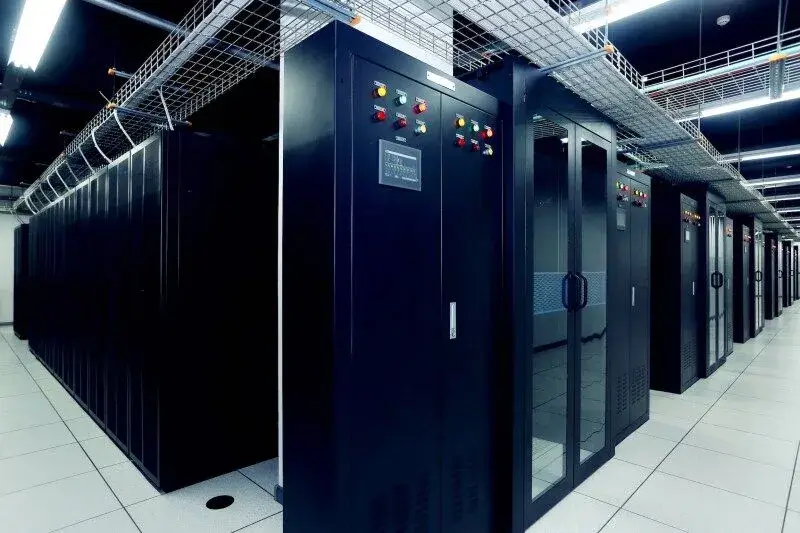
Data Center / Server And Networking Infrastructure Box Build
Data centers and networking systems are also at risk for encountering redundancy issues when the items are in a large grouping or on multiple units. A single unit can pass testing for airflow and power-up; however, if there are slight differences in fan orientation or BMC serial number binding between multiple racks filled with units, it can create redundancy failures that do not appear during individual testing of the unit. BMC serial number and unit serial numbers should be verified to confirm redundancy behavior at system level.
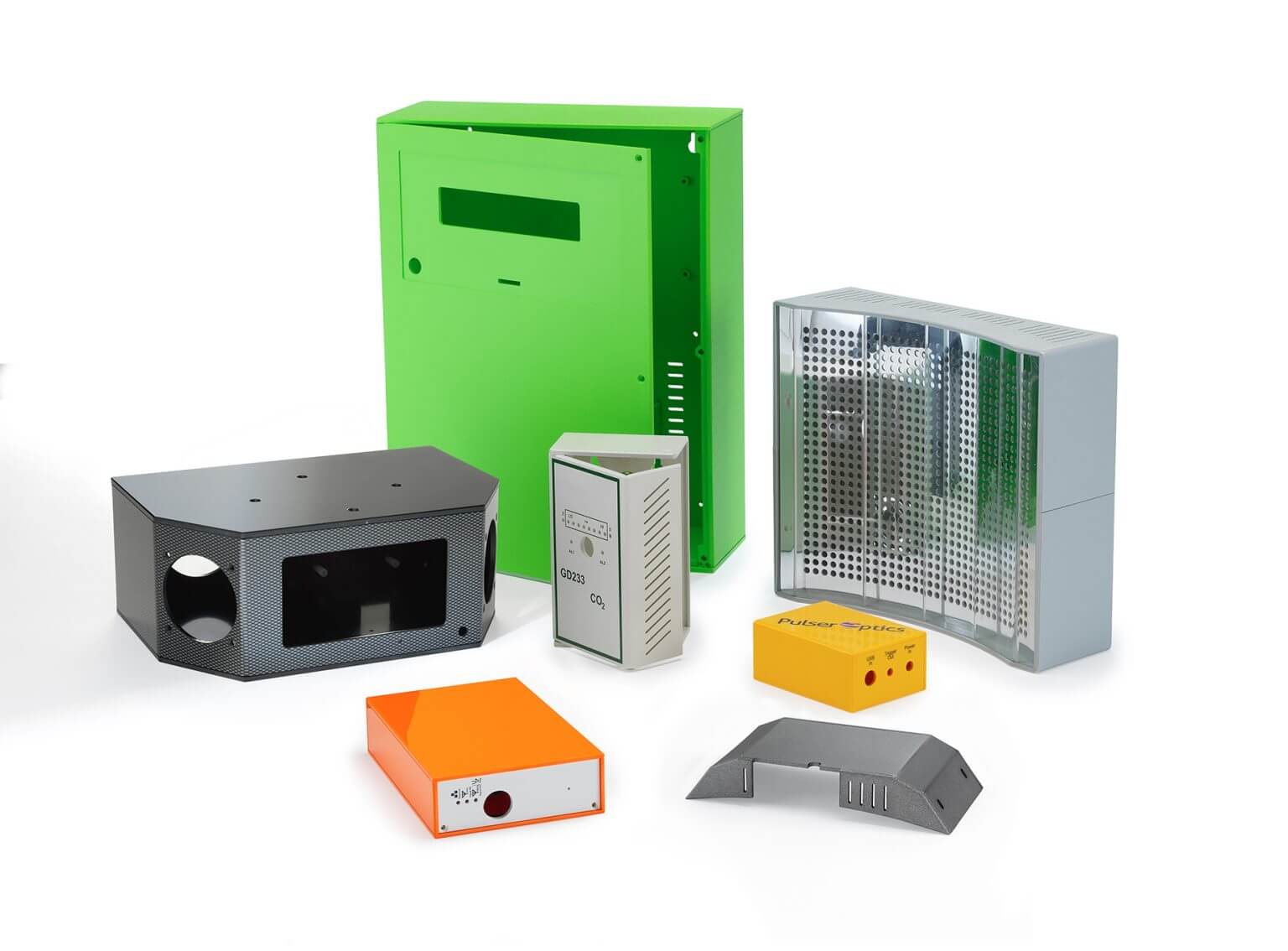
Consumer Electronics With Final Enclosure
The majority of consumer electronics are returned for reasons other than function, even if a unit passes all functional tests. A unit can fail customer inspection due to button alignment, screen gap, or both not meeting the same criteria used during acceptance inspection. Cosmetic acceptance and functional acceptance criteria of a unit should be reviewed as a whole before quantity production.
Box Build NPI To Production
The box build process moves from developing prototypes to producing stable quantities through six stages: first-unit learning, engineering change control, pilot lots, low-volume or high-mix repeatability, scaling to production, and revision control.
Prototype Integration
When integrating prototypes, the objective is to verify that all components of the box build work together. SUGA has no minimum order requirement, which allows teams to start with a single prototype when the goal is simply to validate that the various sub-assemblies work together as intended.
Engineering Revision Control
Engineering revision control captures findings from prototype evaluation and turns them into controlled engineering changes. All changes affecting component lists, enclosures, wiring paths, fixtures, firmware, labels, and inspection access should be established prior to creating pilot lots.
Pilot Lot And Revision Control
Pilot lots test whether the build is repeatable. The work instructions, build steps, and inspection points should be repeatable by multiple people across different pilot lots.
Low-Volume And High-Mix Production
Low-volume and high-mix production builds require an effective method to manage multiple SKUs, variants, labels, firmware, enclosures, and customer-specific needs together.
To assist with flexibility in low- to medium-volume production and high-mix products, SUGA maintains clear visibility of all required variant-specific labels, lot histories, manufacturing orders, and configuration requirements for each SKU.
Scaling To Production
Scaling to production depends on sustainable material sourcing, repeatable assembly, defined expectations for final testing, consistent packaging, documented batch records, and delivery discipline. The project moves from a single prototype to bulk production when it has a repeatable assembly condition established.
SUGA's 99.6% on-time delivery metric reflects delivery discipline across batches, material timeliness, and packaging requirements.
Ongoing Revision Control
During ramp-up, revision control is used to ensure that firmware versions, serial labels, manufacturing lots, ECNs, documentation packs, and product variations remain aligned with the rest of the product lifecycle. ERP traceability records support this through the links between receiving, manufacturing orders, and lots.
Choosing A Box Build EMS Supplier
The supplier must have capabilities to manage the following areas: PCBA front-end capabilities, integration of enclosures and harnesses, testing, traceability, production support, and application-specific standards, while maintaining control over the transition between stages.
Can This Supplier Cover Every Box Build Stage?
The first question to address is whether the supplier can support PCBA integration, cable routing, enclosure assembly, electromechanical parts, testing capability, material control, packaging, and traceability. Establish responsibility for materials, enclosure planning, harness quality, firmware version, test results, labels, and packaging — if these areas are split among multiple vendors, the project will become unmanageable.
Where Box Build Risk Actually Hides
Late engineering changes, inventory shortages, unclear harness drawings, enclosure compatibility issues, missing test access, and repeated rework cycles are generally where risk associated with box builds arises from the overlaps of multiple stages.
By retaining responsibility for engineering, production planning, and finished-unit checks within one supplier, SUGA reduces this risk.
Delivery And Capacity Evidence To Ask For
Seek specific delivery and capacity indicators from suppliers. SUGA's 99.6% on-time delivery and 20,000 sq.ft Dedicated Box-Build Area support batch planning, inventory movement, integration work, and finished-unit readiness for your project.
Which Certifications Apply To Your Product
Standards should not be treated as generic language applied across a broad spectrum of products; instead, they need to be mapped back to the unique application of the product. The table below provides guidance on mapping standards to product-specific applications and the reasons why that mapping is important.
| Requirement | Standard | Why It Matters |
|---|---|---|
| General quality | ISO 9001:2015 | Supplier qualification baseline. |
| Medical electronics | ISO 13485:2016 | Medical diagnostic, monitoring, and regulated electronics fit. |
| Aerospace / defense | AS9100D / MIL-STD requirement review | Aerospace, defense, and mission-critical review. |
| PCBA workmanship | IPC-A-610J / J-STD-001J | Workmanship, soldering process control, and electronic assembly acceptance. |
| Cable and wire harness workmanship | IPC/WHMA-A-620E | Wire harness acceptance, crimping, cable inspection, and harness inspection. |
| Environmental and compliance | UL / CE / RoHS / RoHS lead-free / REACH | Product compliance and customer or export requirements. |
| ESD control | ANSI/ESD S20.20-2021 | EPA, grounding, handling, packaging, marking, and training fit. |
| Documentation | Lot tracking, serialized labeling, tailored documentation, ERP traceability records | Regulated industries and repeatable build records. |
What Traceability Records You Should Receive
Traceability includes receiving, component lot or date code, manufacturing lots, serial labels, and test records. SUGA uses ERP receiving records, and all manufacturing lots can also be traced via ERP manufacturing orders.
Reviewing High-Complexity Assembly Projects
Complex box builds require checks for mechanical fit, harness routing, enclosure access, test access, fixtures, material readiness, and labeling before production starts. The integration work for difficult chassis builds, multi-level enclosures, alternative energy electrical cabinets, and medical electrical controls must be defined.
Sourcing Box Build Manufacturing In China
For OEMs using China box build assembly or China electronics manufacturing, the best supplier maintains a cohesive approach to PCBA, material sourcing, harness work, enclosure integration, testing, packaging, and production support throughout the China / Pearl River Delta manufacturing corridor.
PCBA process capability sets the ceiling for what a box build can achieve. The chart below illustrates the standard and advanced tolerances supported by SUGA's PCBA line.
| Parameter | Standard | Advanced |
|---|---|---|
| Maximum Panel Size | 12" x 18" Length | 22" x 18" Length |
| Maximum Board Thickness | 5 mm | 5.8 mm |
| Minimum Edge of Panel to Component (Single-Side) | 0.5 mm | 0.4 mm |
| Minimum Edge of Panel to Component (Double-Side) | 0.75 mm | 0.5 mm |
| Screen Printer Accuracy | 0.2 mm | 0.08 mm |
| SMT Placement Accuracy | 0.05 mm | 0.025 mm |
| Smallest Component Package Size | 01005 Imperial (0402 Metric) | 008004 Imperial |
| Reflow Profile Method And Equipment | KIC PROFILER | KIC PROFILER |
| SPI Capability | 3D SPI Inline with SPC reporting | 3D SPI Inline with SPC reporting |
| Component Lot / Date Code Traceability | All receiving is tracked under ERP traceability records | All receiving is tracked under ERP traceability records |
| Lot Traceability | Online portal, multiple manufacturing lots with full traceability through the ERP. | Online portal, multiple manufacturing lots with full traceability through the ERP. |
| AOI Capability | 3D AOI with SPC reporting | 3D AOI with SPC reporting |
Request A Box Build Assembly Quote
Frequently Asked Questions
OEM box build means that EMS suppliers take the OEM's board-level electronic and mechanical requirements and turn them into an assembled or partially assembled electronic unit as defined by the OEM's build package.
An example would be an industrial control panel, a medical monitoring device, a rack-mounted communications unit, an alternative energy electrical cabinet, an IoT terminal, a power supply system, or any consumer product sent out in assembled form.
They overlap, but they are not necessarily identical. Electromechanical assembly emphasizes the combination of electrical and mechanical components and the processes involved. Box builds are completed, assembled packaged units or subsystems.
PCB assembly is delivered to the customer as an assembled and inspected circuit board, while box build assembly delivers that circuit board as a completely or partially completed electronic unit, along with the required mechanical components, unit-level testing, packaging, and traceability records.
Yes. A box build typically begins as a prototype unit, then moves through engineering revisions and pilot lots before low-volume, high-mix, or larger production quantities once repeatability is confirmed.
SUGA can accommodate projects beginning with one prototype and progressing to larger quantities or projects without a minimum order requirement. This allows early-stage teams to validate the box build before ramping to production quantities.
Estimates are based on the complexity of the PCB assembly, enclosure type, number of cable harnesses, connector types, mechanical part quantity and type, firmware or configuration work, unit test depth, and order quantity.
Yes, an inexpensive box build assembly can be produced at lower prices due to increased production efficiency rather than skipped processes. Stable design documentation, consistent materials, planned batching, and controlled production can lower prices without reducing final product quality; however, if inspections are not performed, material substitutions are not recorded, or labor is not accurately tracked, lower prices may cause a higher risk to quality.
Controlling box build assembly cost and the amount of testing performed are separate decisions. Stabilizing the BOM, preparing enclosure drawings, determining the optimal routing of harnesses, defining acceptable substitutions, establishing a labeling system, setting packaging specifications, and creating documentation before production will reduce box build rework cost; however, the amount of testing to be performed will remain unchanged.
There are many ways to check the quality of cable or wire harnesses, including inspection of visual routing, seating of connectors, strain relief checks, measurement of electrical continuity, point-to-point verification, measurement of insulation resistance, voltage withstand testing, crimp checking, and label checking.
Yes. Box build can include enclosure fabrication, mechanical fitting, enclosure installation, cable exits, connector access, protective packaging, material verification, and shipment preparation.
Difficult box build projects are addressed earlier in development by checking mechanical fit, harness routing, connector access, test access, fixtures, and material readiness. This reduces the likelihood of adding more inspection later.
Box build projects can be classified as prototypes, pilot, low-volume, high-mix, and production scale-up. Box build can support one small prototype or a very large batch, flexible low- and mid-volume assemblies, high-mix assemblies, and an on-time delivery of 99.6%.